Android cmdline-tools component is missing Flutter – Complete Fix Guide


The Android cmdline-tools component is missing Flutter error appears when running flutter doctor and indicates that the Android SDK Command Line Tools are either not installed, incorrectly installed, or not properly configured in your system environment. When the Android cmdline-tools component is missing Flutter warning shows up, it prevents Flutter from validating the Android toolchain required to build and deploy Android applications. This issue is common during fresh installations, system migrations, SDK updates, or when Android Studio is installed without selecting the Command Line Tools component. Because Flutter depends on SDK utilities such as sdkmanager and build-tools metadata, even a small folder structure misconfiguration can trigger the error. Understanding why the Android cmdline-tools component is missing Flutter occurs is critical to ensuring a stable and production-ready development environment across Windows, macOS, and Linux systems.
The Android cmdline-tools component is missing Flutter error appears when running flutter doctor and indicates that the Android SDK Command Line Tools are not properly installed or configured. If you see this error during Flutter setup, it means your Android toolchain is incomplete and Flutter cannot locate the required SDK utilities.
This guide explains why the Android cmdline-tools component is missing Flutter error occurs and how to fix it on Windows, macOS, and Linux systems.

This error typically appears during:
flutter doctorand blocks Android build support.
In this technical guide, we’ll analyze:
- Root cause of the error
- How Flutter depends on Android SDK cmdline-tools
- Step-by-step fix (Windows, macOS, Linux)
- Correct SDK structure
- Verification process
- Common pitfalls
- CI/CD considerations
Why “Android cmdline-tools component is missing Flutter” Happens
Flutter depends on the Android SDK to build and deploy Android apps. Specifically, it requires the command-line utilities included in the Android SDK.
These tools are part of:
- Android SDK
- Android Studio
- Flutter
If the cmdline-tools/latest/ directory is missing or misconfigured, Flutter cannot find:
sdkmanageravdmanagerlint- Android build tools
As a result, Flutter shows the Android cmdline-tools component is missing Flutter warning.
<ANDROID_SDK_ROOT>/cmdline-tools/latest/If it doesn’t exist → Flutter fails.
Step-by-Step Fix
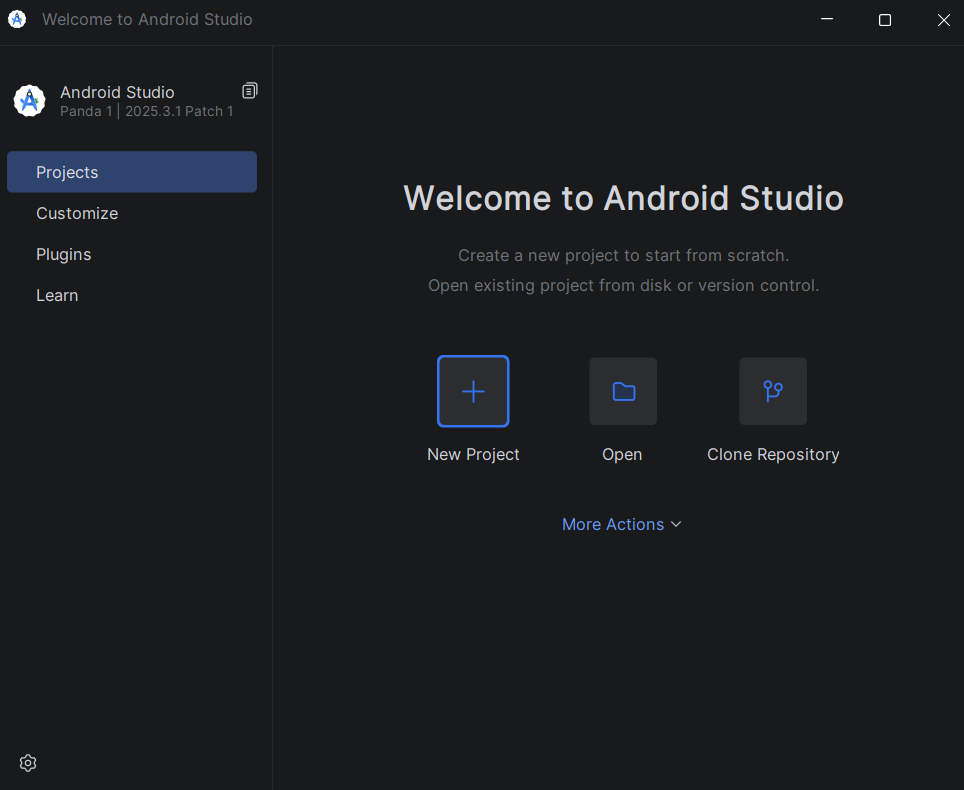
- Open the Android Studio
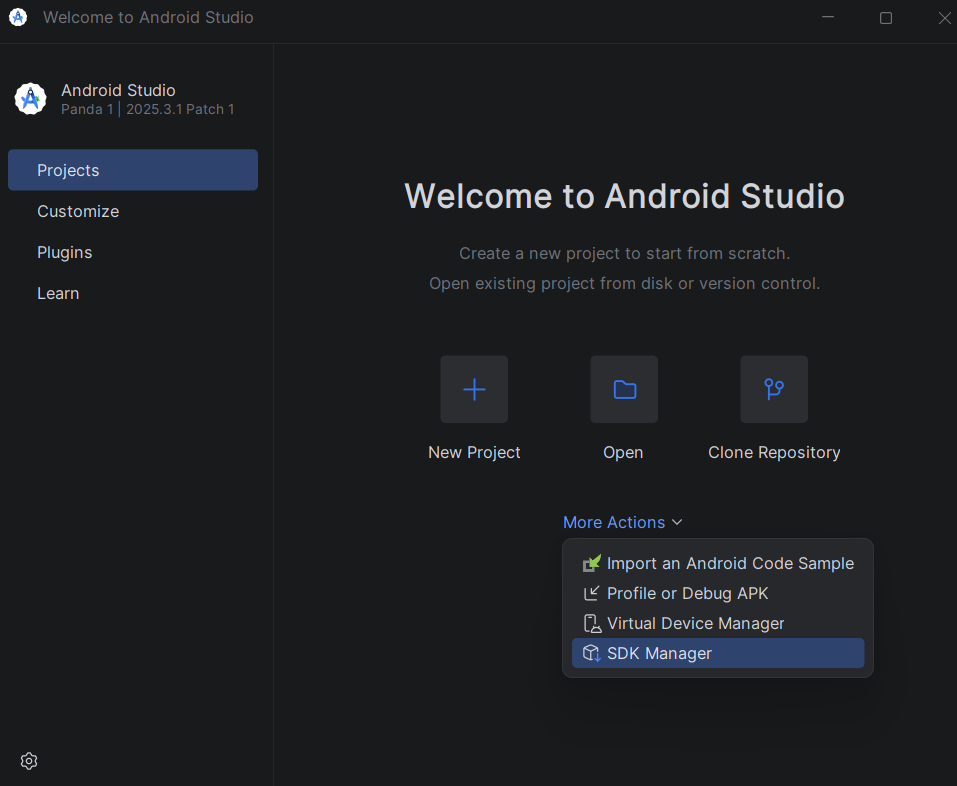
- Click More Action and choose SDK Manager
- Go to Android SDK and select the SDK Tools Tab
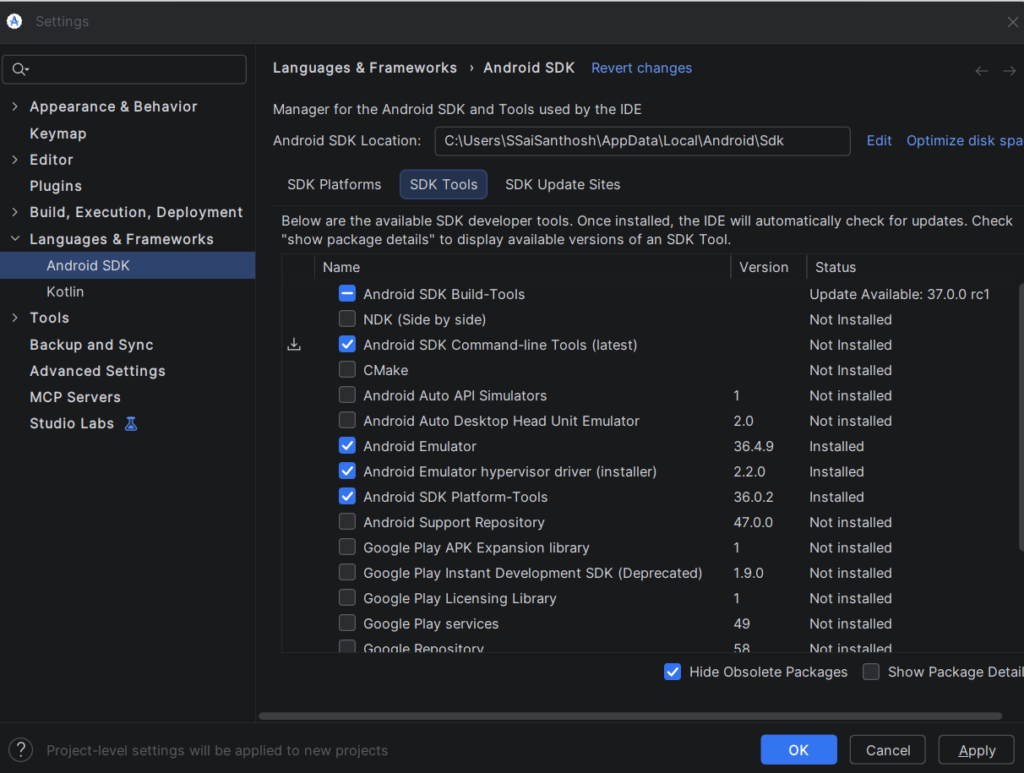
- Check the Android SDK Command-Line Tools and click ok button to install.
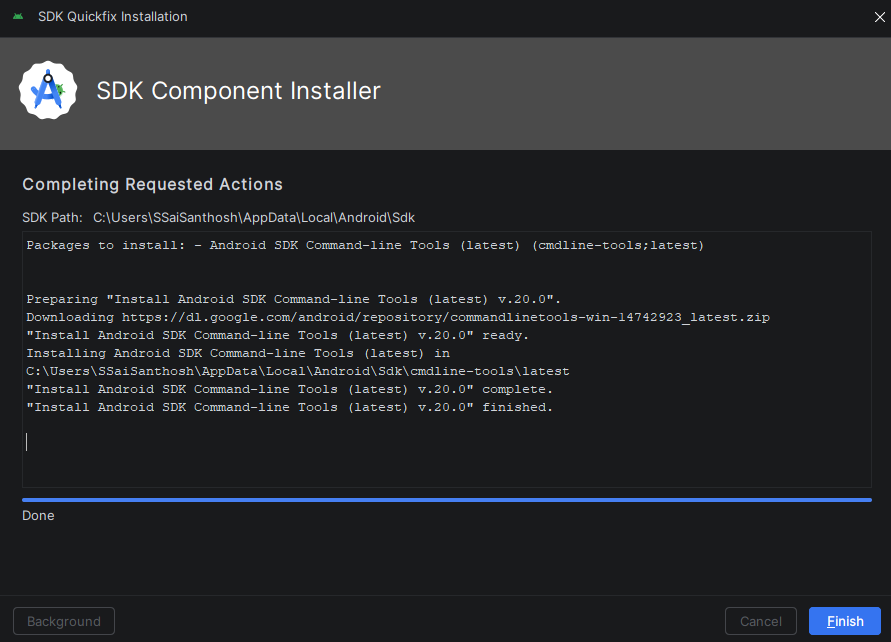
Once the installing done, run
flutter doctor -v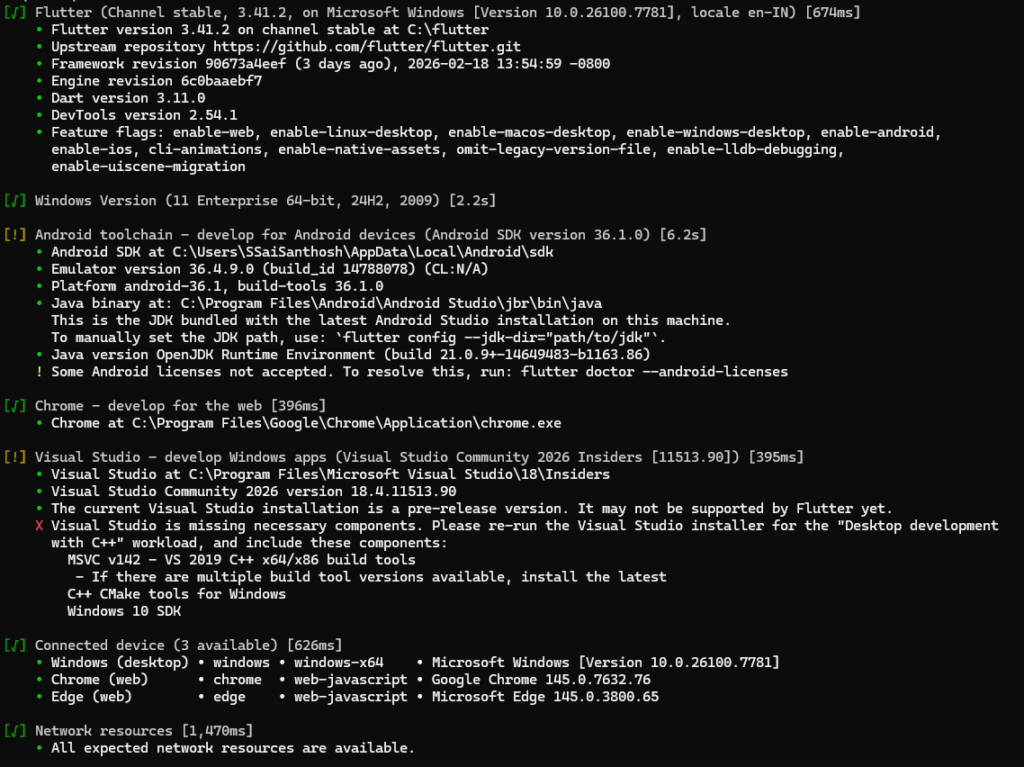
Conclusion
The Android cmdline-tools component is missing Flutter error occurs due to missing SDK components, incorrect folder structure, or misconfigured environment variables. Installing the Android Command Line Tools properly and verifying the cmdline-tools/latest directory resolves the issue in most cases.
Ensuring your Android SDK is correctly configured prevents recurring Flutter build failures and keeps your development environment stable.